


Modern Camera Ecosystem
Deploy a clean range of UniFi cameras for entrances, offices, exteriors, retail floors, and operational spaces.
Horizon designs and installs UniFi Protect systems for offices, commercial buildings, retail spaces, and managed properties. Bring cameras, recording, remote access, and alerts together in one modern platform.
UniFi Protect gives businesses a cleaner path to modern video surveillance, with a more organized experience for cameras, recording, remote review, and operational awareness.
Deploy a clean range of UniFi cameras for entrances, offices, exteriors, retail floors, and operational spaces.
View cameras, playback, detections, and device health in one software environment designed for daily use.
Build around practical recording and retention goals with a platform that can support both current and future needs.
Give authorized users better awareness through remote live view, playback access, and Alarm Manager workflows.
UniFi Protect brings together cameras, recording, management software, and event awareness into one platform that can scale from a focused installation to a broader commercial deployment.
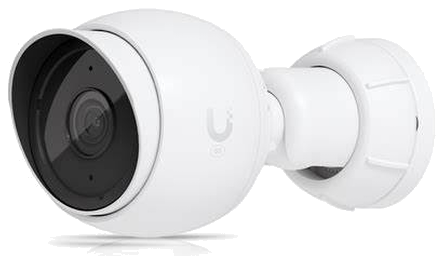
Use UniFi cameras to cover entrances, common areas, perimeter zones, work areas, and other important spaces.
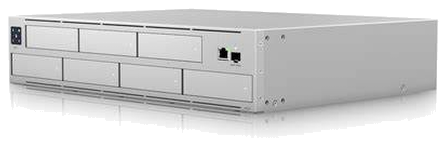
Support practical retention goals, organized playback review, and the recorder capacity needed for the deployment.
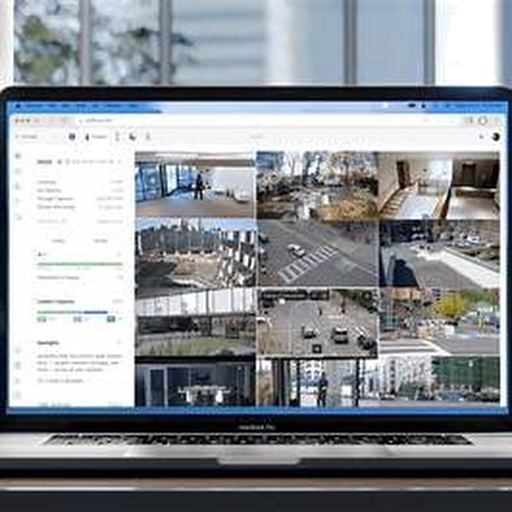
Manage cameras, live view, playback, detections, and device status from one organized interface.
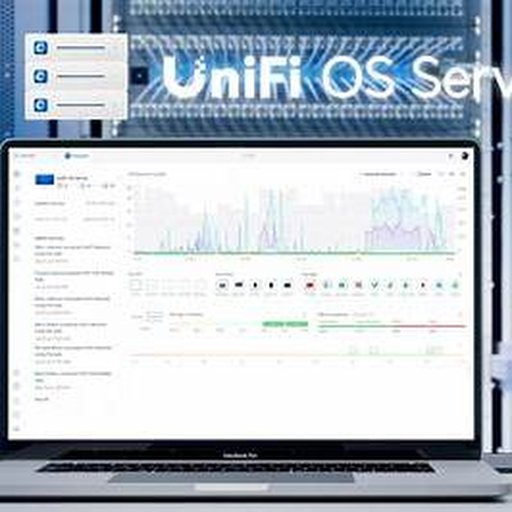
Add another layer of site awareness with notifications, events, and operational workflows tied to important activity.
These are some of the qualities businesses often value most when they choose a modern UniFi Protect deployment.
A more polished interface helps users move between live view, playback, devices, and system awareness with less friction.
Start with the right camera count and recording plan today, then grow the system as properties or requirements evolve.
Authorized users can quickly review live video, playback, and activity without being tied to a single workstation.
Alarm Manager and event-driven awareness create a stronger operational layer around the most important activity on site.
Our project workflow turns the selected UniFi Protect components into a complete, practical surveillance deployment.
Review entrances, interior spaces, perimeter areas, lighting conditions, existing cabling, and the locations where incidents are most likely to occur.
Select the camera style, mounting position, viewing angle, and image objective for each zone rather than using one camera type everywhere.
Calculate recorder capacity and storage based on camera count, resolution, frame rate, motion activity, and required retention.
Confirm switch capacity, PoE budget, uplinks, network segmentation, and future expansion so the surveillance system remains reliable.
Define who can view cameras, review footage, receive notifications, manage devices, and use Alarm Manager workflows.
Install, aim, test, document, and train the customer so the final system is ready for everyday operation and future service.
Select a preview below to switch the main player.
See how UniFi brings surveillance, connected devices, and operational awareness together in one polished physical-security experience.
These are practical benefits organizations often consider when comparing modern surveillance platforms.
A better interface makes it easier for day-to-day users to review footage, check live view, and maintain awareness.
The platform can start at the right size today and expand as more cameras, buildings, or operational requirements are added.
Alarm Manager and event-based workflows help teams respond faster and stay more informed about important site activity.
Horizon continues to service existing camera, DVR, and NVR systems. When the installed platform is still practical, we help stabilize it. When it is time to modernize, we help plan a cleaner path toward UniFi Protect.
Review camera condition, recorder health, network limits, and remote-access issues.
Resolve immediate service problems when the current system can still operate reliably.
Create a practical roadmap toward a cleaner UniFi-based surveillance deployment.
UniFi Protect works especially well in environments that benefit from clean management, scalable hardware selection, and straightforward remote visibility.
Support daily oversight of reception areas, hallways, entrances, and after-hours activity without creating a complicated system to manage.
Cover main entrances, shared spaces, service corridors, and tenant-facing zones with a platform that stays organized as the site grows.
Improve awareness across storefronts, customer areas, back offices, and operational spaces while keeping review and playback practical.
Monitor loading areas, aisles, inventory spaces, and perimeter activity with a system that can scale cleanly as coverage expands.
Bring visibility across several locations into one consistent environment, making it easier to review activity and manage standards.
Ideal for projects that need a cleaner alternative to older systems, especially when the goal is to modernize with a more unified platform.
Whether you need a practical camera refresh, a new UniFi Protect deployment, or guidance on upgrading from an older system, Horizon can help design a surveillance solution that fits your property and operational goals.